Using Personal Access Tokens to connect the Azure DevOps is much more safer and easier.
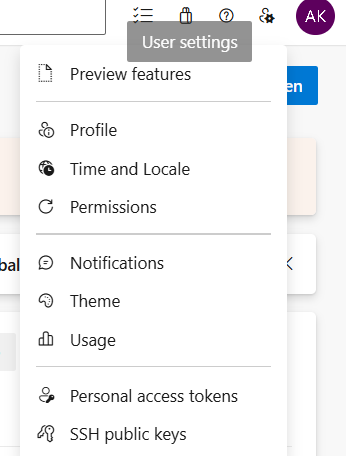
First, login to the Azure DevOps portal, navigate to right corner user settings, you should able to see Personal access tokens.
In this page, create a Personal Token Access, give it a name, and input till the latest expiry date you can choose (if you don’t wish to renew too fast).
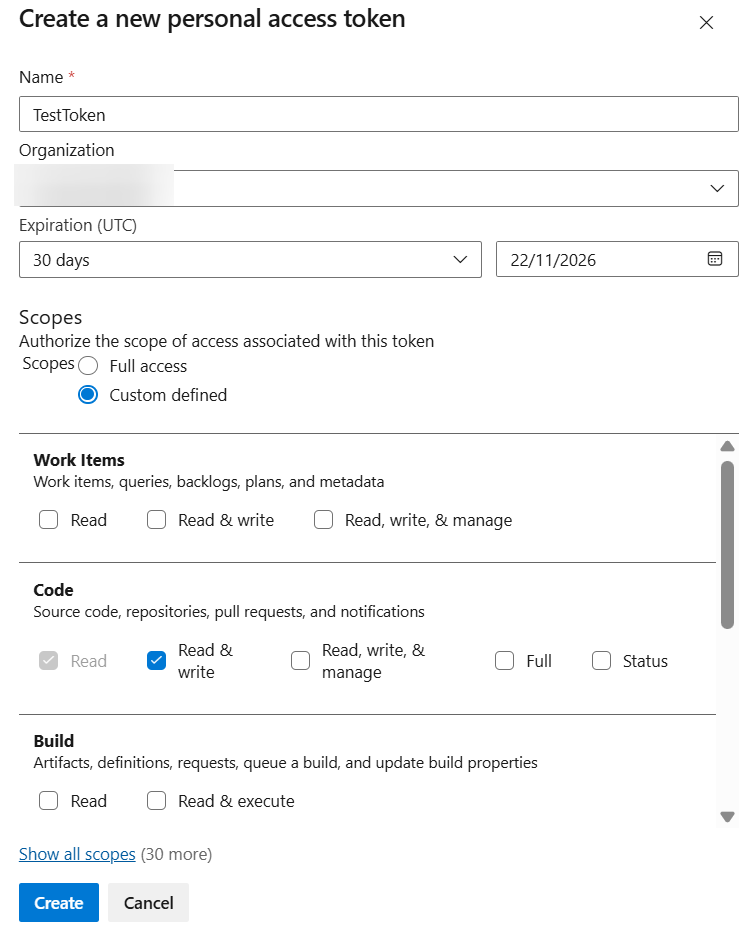
Ensure the Code is select with “Read & Write”.
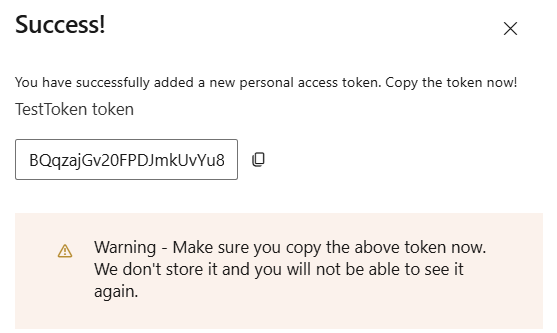
Once you create, you have a token, remember keep it properly as it will only show 1 time.
Afterwards, go to your Visual Studio Git Repo Settings, ensure the Remote Fetch and Push are using with below format:
https://<token>@dev.azure.com/<org path>/<project name>/_git/<repo name>